
Sarah Chen
@sarah_enablement · Sales enablement
We already had polished sales decks. OralSlides turned them into follow-up videos without booking another recording session.
1238214
AI PowerPoint narrator for existing decks
Upload your PowerPoint or PDF and try with 30 credits. Each slide uses 1 credit for AI script and narration. No signup required. Free to try.
30 trial credits. No signup required. Preview online. Subscribe to download MP4.
How it works
A PowerPoint to video workflow that keeps the speed of automation without losing editorial control
01
Market Opportunity
02
Solution
03
Results
Script
Voice
Timing
No Rebuild. Just Better.
Compare
See where OralSlides fits against avatar studios, AI deck builders, and text-to-video tools before you move a team workflow.
View all comparisons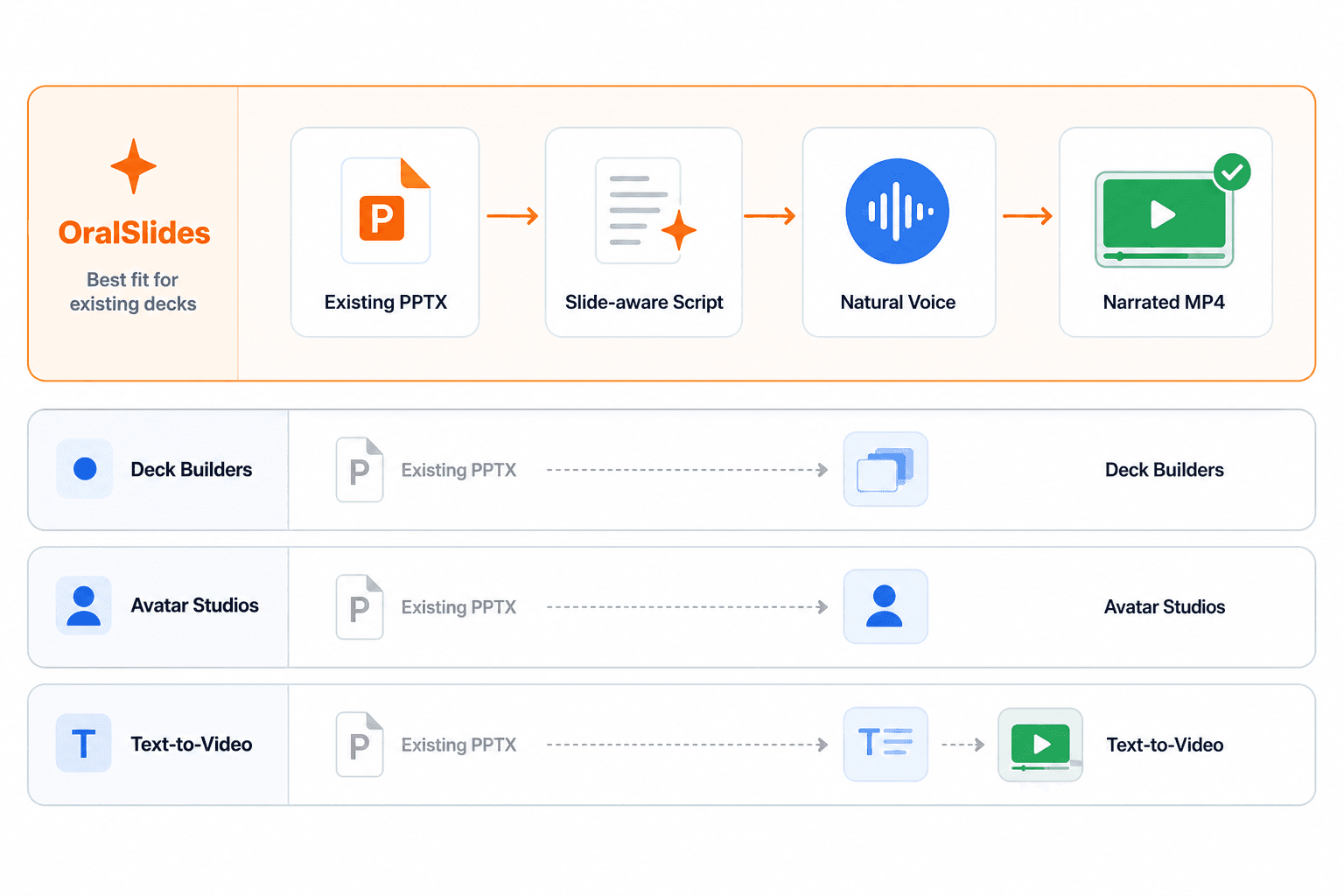
Testimonials
Realistic feedback from teams using PowerPoint as the source material for narrated MP4s.
Sarah Chen
@sarah_enablement · Sales enablement
We already had polished sales decks. OralSlides turned them into follow-up videos without booking another recording session.

Mike Torres
@miketorres · Customer education
The deck stays recognizable. We can update a few slides and regenerate narration instead of rebuilding a training video.

Emily Park
@emily_productops · Product operations
For internal updates, this gives us a clean spoken version of the deck people can watch before review meetings.

David Liu
@davidbuilds · Founder
I sent a narrated investor deck instead of another PDF attachment. The response rate was noticeably better.

Rachel Adams
@rachel_learning · L&D manager
Our trainers can keep using PowerPoint as the source of truth, but learners get a video they can replay any time.

James Wilson
@jwilson_demo · Solutions consultant
The fastest path from a product demo deck to a shareable MP4. No timeline editor, no presenter setup, no studio slot.

Priya Sharma
@priya_pm · Product manager
I like that each slide has its own script. Small edits are easy, and I do not have to re-record the whole video.

Carlos Mendez
@carlos_ops · Operations lead
Static onboarding decks were getting ignored. The narrated version feels much easier for a remote team to consume.
No account needed to try OralSlides. Choose a monthly subscription when you are ready to download your videos.
Questions, answered
Learn how OralSlides understands your slides, creates narration, and lets you try the full workflow without registration.
Still have a question?
Talk to the OralSlides teamOralSlides uses multimodal AI to examine each slide as a visual composition, including its text, charts, diagrams, images, layout, and visual hierarchy. It also uses context from surrounding slides to create narration that follows the overall story of your deck.
Try your own deck for free, without registration. Review the narration and preview your video before subscribing to download.